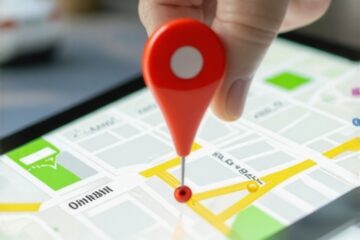
I will never forget the rainy Tuesday I lost a three-thousand-dollar contract because I was officially closed on paper. I was sitting right there in my office, lights on, coffee in hand, but my Google Business Profile told the world I was done for the day. Meanwhile, a competitor down the street—someone I know doesn’t have half my experience—scooped up the lead because they had updated their hours to reflect their actual availability for calls. It was a gut-punch. I realized then that I wasn’t just fighting for rank; I was fighting against a clock I had set myself. We often obsess over how rank tracker can skyrocket your local rankings, but we forget the most basic conversion signal: are you actually open when the customer is looking? Today, I’m showing you the dead-simple tweak to your operating hours that forces the map pack to take notice. We are going to stop the search traffic bleed and start capturing those after-hours leads that your competitors are currently stealing.
Stop Letting Your Open-Close Times Kill Your Reach
When I first started tinkering with my profile, I made the classic mistake of setting my hours to 24/7. I thought I was being clever. I was not. In fact, that is one of those 5 audit red flags that can get your profile flagged. Google’s algorithm wants accuracy, not just constant availability. However, there is a massive difference between accuracy and just following the status quo. Most of us set our hours once and never look at them again. But if you dive into your maps analytics insights, you will likely see a surge of impressions right at the tail end of your workday. If you close at 5:00 PM but people are searching at 5:15 PM, you often disappear from the top results. According to research from BrightLocal, the ‘Open Now’ filter is a primary driver for mobile users. If you aren’t open, you aren’t an option. Have you ever checked your stats to see how many people are looking for you while your ‘Closed’ sign is digitally hanging?
Does Changing Your Hours Actually Trick the Algorithm?
It is not about tricking anyone; it is about aligning with reality. I have seen businesses move from the tenth spot to the top three simply by extending their Thursday hours by ninety minutes because that is when their neighborhood actually shops. I used to be terrified that if I changed my hours, I would get a phone call while I was eating dinner. But here is the secret: most of those late-night searchers are just planning their next day. By being marked as open, you stay in the running for the click. Using a solid local SEO software can help you see exactly when these spikes happen so you aren’t guessing. It is time to stop treating your hours like a static sign and start treating them like the visibility lever they actually are. [image_placeholder]
Look at Your Data Before Touching a Single Setting
First, stop guessing what time you should be ‘open.’ You need to look at your actual demand. Open your dashboard and find the hidden map analytics metric that shows where your leads live and, more importantly, when they are looking for you. I once worked with a local bakery that swore they were a morning business. They closed at 2 PM sharp. When we looked at their search spikes, we saw a massive ‘dessert’ search surge between 3 PM and 5 PM. They were literally handing thousands of dollars to the supermarket down the street. By shifting their staff hours to stay open until 5:30 PM, they saw a 40% increase in walk-in traffic within two weeks. This isn’t just about being there; it’s about matching the rhythm of your neighborhood. 
The Proximity Tweak That Actually Works
Once you’ve identified the gap, you need to verify if your current tools are even seeing the whole picture. Most people use a basic the rank tracker setup that shows real neighborhood proximity to see if they are appearing when it matters. If you’re ranked #1 at noon but #15 at 6 PM because you’re closed, you don’t actually have a ranking problem; you have an availability problem. Change your hours in the GBP dashboard, but do it gradually. Don’t jump from 40 hours a week to 168. Google’s ‘spam’ filters are like a jumpy guard dog; if you make too many radical changes at once, they might lock the gate. It is about appearing reliable, not desperate. I saw this firsthand with a plumbing client who tried to set a 24-hour schedule overnight and got slapped with a ‘Not Publicly Visible’ error. We had to learn how we fixed the not publicly visible glitch without re-verifying the hard way. Slow and steady wins the map pack.
Make Sure the Rest of the Web Agrees With You
Now, here is where most people trip over the finish line. You change your hours on Google, but you forget about Bing, Yelp, and those thirty niche directories you signed up for five years ago. This creates a conflict. Think of Google like a detective. If one witness (Yelp) says you close at 5 PM and another witness (Google) says you close at 7 PM, the detective starts to doubt both. You have to eliminate the 3 citation errors that confuse google and kill your traffic. This is why I use a citation monitor setting that catches profile hijacks in minutes. It ensures that when I change my hours on one platform, the rest of the web falls in line. Without this consistency, your Google profile will eventually revert to the old, ‘safe’ data it finds elsewhere.
Handle the After-Hours Surge Without Losing Sleep
If you are worried about the ‘Open’ status leading to midnight phone calls, use automation. You don’t have to answer the phone while you’re sleeping. Use the ‘Chat’ feature or an automated booking link. You can even use review management tools that transform customer feedback into revenue to engage with people who leave a query while you’re technically off-duty. The goal is to keep the digital door unlocked so the algorithm keeps you at the top of the pile while the specific reason your map impressions are not turning into calls often boils down to that ‘Closed’ tag appearing just as a lead is ready to buy.
I spent years treating my SEO dashboard like a scoreboard, only to realize I was playing the completely wrong game. Most business owners look at a green arrow next to their business name and assume the job is done. But here is the contrarian truth: a high average rank is often a vanity metric that masks a failing lead generation strategy. If you are leveraging how rank tracker can skyrocket your local rankings, you must stop obsessed with global averages. A study by Whitespark confirms that proximity remains the most volatile ranking factor, meaning your rank literally shifts every time a customer walks ten feet in either direction.
Ditch the Vanity Metrics to Find Real Growth
The ‘Oops’ factor usually hits when you trust automated tools to do the heavy lifting without human oversight. I have seen businesses lose thousands in potential revenue because they relied on a bot for citation cleanup, leading to the 3 citation errors that confuse google and kill your traffic. It is a common trap; you think you are cleaning up your data, but you are actually creating duplicate entries that dilute your authority. Instead of chasing a number, you should be looking for the key difference between tracking rankings and tracking leads. Have you ever fallen into this trap? Let me know in the comments.
Why does that abandoned shop down the street still outrank your optimized profile?
It is incredibly frustrating to see a competitor with zero posts and three-year-old reviews sitting in the top spot while you are posting daily. This happens because of ‘historical consistency.’ Google’s algorithm often favors dormant profiles if their data is perfectly mirrored across high-authority niche directories. This is why your optimized business profile still ranks below abandoned listings. To combat this, you need a citation monitor that does more than just list your NAP; it needs to actively hunt for citation scrapers from overwriting your correct business info. 
Master the Proximity Gap Before Your Competitors Do
Another nuance most beginners miss is the ‘Proximity Paradox.’ You might rank #1 at your storefront, but you are invisible two blocks away. If you don’t use the rank tracker setup that shows real neighborhood proximity, you are essentially flying blind. You need to dive into your maps analytics insights to see where the drop-off happens. Once you find that ‘dead zone,’ you can tailor your content to specific neighborhood keywords rather than broad city terms. This level of granularity is what separates the masters from the amateurs in the local map pack.
Scaling your presence isn’t about doing more work; it’s about having better eyes on the street. I have reached a point where I don’t even look at my Google Business Profile dashboard without first opening my grid-based reports. Why? Because the native dashboard only tells you the ‘what,’ but it never tells you the ‘where’ or ‘why.’ If you want to scale to multiple locations or just dominate your current zip code, you have to unlock the power of local SEO software that offers a neighborhood-level view. I personally use tools that visualize data in a 13×13 grid. If I see a red dot appearing three blocks east, I know a new competitor just popped up or a citation went haywire. It allows me to be proactive rather than reactive.
The Software Stack That Keeps Me Sane
I’ve tested dozens of platforms, and I always come back to the same core setup. You need a dedicated way to see how rank tracker can skyrocket your local rankings by pinpointing exactly where your proximity fades. Standard rank trackers that give you one average number for a whole city are lying to you; they mask the ‘dead zones’ where your leads are actually hiding. I also rely heavily on review management tools that transform customer feedback into revenue because they alert me the second a negative review hits. In local SEO, your response speed is often more important than the review itself. It’s about showing the algorithm that you are active, responsive, and real. 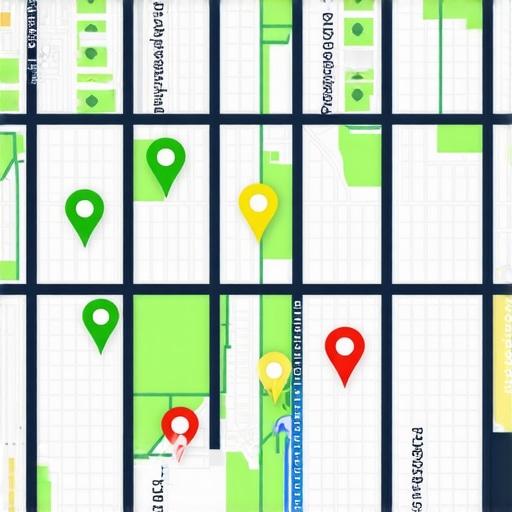
How do I keep my map pack rankings from sliding next month?
Maintenance is the part of SEO that everyone hates because it isn’t flashy, but it is where the money is made. You need a citation monitor that acts like a 24/7 security guard for your business data. I’ve seen third-party ‘data aggregators’ overwrite perfectly good business info with data from a five-year-old tax return or an old utility bill. This creates a conflict that confuses Google and drops you out of the 3-pack instantly. That is why you must learn how to stop citation scrapers from overwriting your correct business info before they cause a ranking drop that takes months of manual support tickets to fix. Consistency isn’t a goal; it’s a requirement.
Stop the Scrapers Before They Kill Your Authority
I predict that the future of local search is moving toward ‘predictive intent.’ According to technical research from experts at Sterling Sky, Google is increasingly using AI to predict which business is most likely to provide a ‘successful’ interaction based on past engagement signals and real-time availability. This means your maps analytics insights are your most valuable asset. They tell you if people are clicking ‘Directions’ or ‘Call.’ If those numbers dip while your rankings stay high, your profile is likely ‘ghosting’ users with incorrect info or bad photos. Don’t just track positions; track the human actions that follow. Try this today: Go into your rank tracker and set up a 7×7 grid search around your physical location. If you see a sudden drop-off in the next block over, you’ve found your first ‘proximity gap’ to investigate.
The Hardest Lesson I Learned About Chasing Map Pack Perfection
After years of obsessing over every pixel of my profile, I realized that the biggest threat to my growth wasn’t a competitor—it was my own reliance on automation. I once trusted a suite of tools to sync fifty locations at once, only to find that a single ‘smart’ override had wiped out our primary categories across the board. It taught me that while local seo software is essential for scale, it never replaces the human intuition of checking your own backyard. Another ‘lightbulb moment’ came when I stopped looking at static reports. Proximity is fluid; if you aren’t using a rank tracker to see how your visibility shifts at 6:00 PM versus 10:00 AM, you are missing half the story. Lastly, I learned that reviews are not just vanity metrics; they are conversational data. When you use review management tools that transform customer feedback into revenue, you start seeing the specific keywords your customers use, which you can then bake back into your profile for even better reach.
Build a Stack You Actually Trust
I don’t believe in using every tool on the market; I believe in using the ones that provide the most transparency. For those just starting, I highly recommend digging into maps analytics insights to understand your baseline. I personally trust sources like Whitespark and Sterling Sky for their deep technical audits of algorithm shifts. If you are struggling with data consistency, my go-to move is setting up a citation monitor to act as an early warning system. These resources don’t just give you numbers; they give you the ‘why’ behind your ranking fluctuations. Combining these with a clear understanding of the key difference between tracking rankings and tracking leads ensures that you are actually growing your bank account, not just your ego. [image_placeholder_final]
Take the Keys Back from the Algorithm
The local landscape is becoming more competitive every day, but most of your competitors are still playing by the old rules. They set their hours once, post a photo once a month, and wonder why their traffic is flatlining. By being the business owner who actually monitors the proximity gap and adjusts their digital presence to match real-world demand, you are already ahead of 90% of the market. Don’t be afraid to experiment with your settings and lean on high-quality local seo software to protect your hard-earned authority. You’ve built a great business—now it’s time to make sure the map pack knows it. Have you ever seen your rankings vanish the second your shop ‘closed’ for the day? Let me know in the comments.